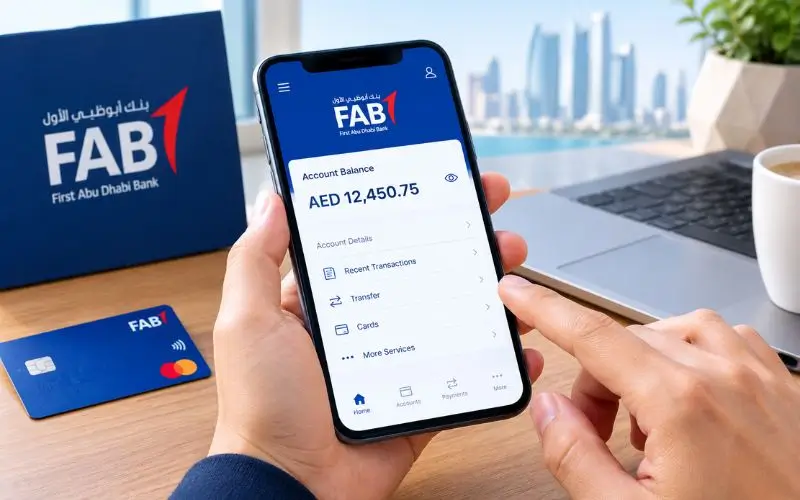
FAB Balance Check can be checked through several convenient methods, depending on the type of account or card you hold. Customers can check their balance and recent transactions using FAB Mobile, online banking, or an ATM. Instead of the prepaid-card balance enquiry service, Ratibi cardholders use a separate one. Eligible employees can use Ratibi, FAB’s payroll product, to collect their wage on a traditional bank account or on a prepaid card. This guide explains the different ways to check your balance, what you need to know, and some pitfalls you may run into.
Quick Ways to Check Your FAB Balance
For those who have a regular FAB bank account, the easiest way to check your FAB balance is via FAB mobile. Once signed in, customers have access to their account balance and transaction history. In its current service status page, FAB states that account balances and transaction history can be viewed via the mobile app.
Please use FAB Online Banking or FAB ATM. However, for Ratibi cardholders, FAB would rather direct existing customers to its Ratibi Prepaid Card Balance Enquiry service.
Which method should you use?
| FAB product | Recommended method | Internet required |
| Current account | FAB Mobile or Online Banking | Yes |
| Savings account | FAB Mobile or Online Banking | Yes |
| Salary account | FAB Mobile or Online Banking | Yes |
| Debit card linked to account | FAB Mobile or ATM | Depends |
| Ratibi prepaid card | Ratibi Prepaid Card Balance Enquiry | Yes |
| Other eligible prepaid card | FAB/Magnati prepaid enquiry service | Yes |
| No internet access | FAB ATM | No |
The first step is to determine if you have a normal FAB bank account or a prepaid payroll card.
How to Check FAB Balance Through FAB Mobile
The mobile application is typically the easiest choice for customers who have a regular FAB bank account. FAB has confirmed its mobile banking service includes the ability to see account and transaction details. It now appears on its service-status page that customers can see the account balance and transaction history.
Steps to check your account
- Launch the official FAB Mobile application. Run the official FAB Mobile application.
- Log in with your account credentials.
- Click on the corresponding account from the accounts section of your account overview.
- Check the balance that is shown.
- Check the transaction history if you wish to check out recent payments or transfers.
The app can be more helpful than just knowing there’s enough money in your account, because transaction history can help you understand why you don’t have a certain amount of money at your disposal.
Other account and card features are also included in FAB’s mobile banking service, enabling customers to log in to the app for more than just a balance enquiry.
Why FAB Mobile is useful
Without a balance figure, you won’t know what happened to your money. If you’ve just received a paycheck, paid with a card, or transferred money, you can see the transaction history for more context.
This can be helpful when a customer thinks he has been paid back or a transaction has decreased his balance in an unexpected way.
FAB Balance Check Through Online Banking
Alternatively, customers can use FAB Online Banking, which allows them to use a desktop or laptop to bank online.
The procedure is comparable to the mobile app. Log in to the official FAB banking website, go to the account overview section, and check the balance and account activity in the recent section.
Steps for Online Banking
- Visit FAB’s official banking site.
- Click on Online Banking login.
- Fill in the necessary authentication.
- View account details.
- Check out the balances and transaction history.
When you want to see multiple transactions or account records on a larger screen, Online Banking can be a great convenience.
Of the various digital banking functions available, FAB’s current service information includes account balance and transaction history viewing.
FAB Balance Check at an ATM
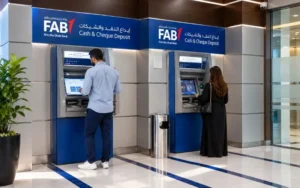
A FAB ATM can be helpful if you don’t want to use the mobile app or if you don’t have an internet connection.
Insert your eligible FAB card, enter your PIN, and press the Balance enquiry option displayed on the ATM screen. Menu options may depend on the configuration of the card and ATM.
What you need
You generally need:
- Your eligible FAB card
- Your card PIN
- Access to an appropriate ATM.
If the ATM is linked to the account, it can be a convenient means of checking the account without using the internet.
Please consult published information from FAB for current fees and ATM service conditions and, especially, if you are using a bank ATM, consult the information provided by the bank of the ATM you are using.
Is checking the balance at a FAB ATM free?
This is dependent on the ATM and service. Please refer to FAB’s published tariff for up-to-date fees and not to any third-party articles made before that date.
One area where competing websites can become out of date is due to banking tariffs and service conditions.
Ratibi Card Balance Check
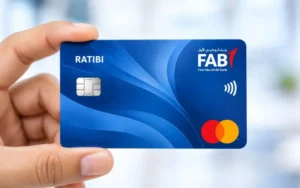
Ratibi is not a regular FAB current/savings account. According to FAB, Ratibi is a payroll solution for employees earning up to AED 5,000. The salary is deposited on the prepaid card, and the employees who are eligible for the Ratibi solution need not have a regular bank account.
This also implies that the individual with a Ratibi card is not guaranteed to find the card balance in the same account dashboard that a traditional FAB banking client would see.
How to check a Ratibi card balance online
Existing FAB cardholders can use the Ratibi Prepaid Card Balance Enquiry feature on FAB’s official Ratibi page. The enquiry service is available via the FAB/Magnati prepaid-card system.
The current official enquiry page asks for information relevant to cards to identify which prepaid card is being inquired about. This is a financial service, and users should only enter those details on the official enquiry page and not on an independent site.
What is Ratibi?
Ratibi is an application for salary and not for current account banking. According to FAB, the card will enable eligible employees to get their salaries without the need to open a bank account. It also offers ATM and card-payment services.
This distinction is why there are multiple search methods that come up when searching for FAB balance check. The appropriate approach will vary based on the card’s printed product and service associated with it.
FAB Prepaid Card Balance Enquiry
FAB offers more products than Ratibi that are prepaid cards. For instance, FAB’s Payment Prepaid Card is actually a prepaid payment solution, and doesn’t need a traditional bank account. The right enquiry procedure for balance may thus vary from what is done for a current or savings account.
If you’re using a prepaid card, review the product information provided by FAB and utilize the balance-enquiry service FAB refers cardholders to.
Currently, the official prepaid enquiry page has card identification and verification fields. Follow the instructions provided on the live official page and not those that have been copied from a previous site.
Regular FAB Account vs Ratibi Card
The biggest source of confusion is to consider these products to be the same. FAB explicitly mentions that Ratibi allows eligible workers to get paid on their card without a bank account.
| Feature | Regular FAB account | Ratibi prepaid card |
| Traditional bank account | Yes | No conventional account required |
| Salary payments | Possible | Main purpose |
| FAB Mobile account view | Applicable to registered account customers | Not the same as a conventional account |
| Dedicated prepaid enquiry | No | Yes |
| ATM access | Yes, where applicable | Yes |
| Product type | Banking account | Payroll prepaid card |
So, before you try finding instructions, check your FAB product. If it’s a regular bank account, begin with FAB Mobile or Online Banking. In the case of Ratibi, use the special balance enquiry route.
Why Your Balance May Look Different
The amount shown may not be the amount that you expected. This means that your account may not have an error.
Check recent transactions as a first step. The available amount may change due to a card payment, transfer, or other transaction.
With a regular account, FAB Mobile gives account and transaction information, allowing a regular account customer to delve into the activity in an account, not just the headline. FAB currently offers the following services: balance and transaction history viewing.
Salary not showing?
If you don’t see a paycheck that you expect, double-check with your employer or payroll department.
Once it has been confirmed by the employer, confirm the payment in the proper official channel in the account or Ratibi card. It’s the prepaid-card enquiry service that is more relevant to Ratibi customers, rather than that the money would be inside a traditional FAB account.
FAB Balance Check When the App Is Not Working
If you can’t use the FAB Mobile app, or sign in, there are other alternatives. A regular account customer can try Online Banking or use an appropriate ATM. A Ratibi cardholder may use a prepaid-card enquiry service offered by the Ratibi company or another card channel supported by the Ratibi company.
FAB has a service-status page that will report on the status of its banking functions. As of the date of this research, FAB lists viewing of account balances and transaction history on the mobile service. If the problem is related to your credentials, authentication, or registered mobile number, enter this information through FAB’s official customer-support sites and NOT on a third-party site.
Can You Check FAB Balance Without Internet?
Yes, customers who have a qualified card can have an “offline” ATM service. This is useful when mobile data is not available or if you can’t use the FAB application. You must have your card and PIN, and the services you can use may vary depending on the card and ATM.
It’s also important to note that Ratibi card customers should not confuse checking their prepaid card with checking their regular account. As confirmed on FAB’s official Ratibi page, the Ratibi product has its own balance-enquiry service.
Security Tips for Checking Your Balance
Banking details should only be input via FAB.
Don’t give your:
- Card PIN
- Online Banking password
- One-time password
- Full authentication credentials
- Security codes
To one who says he can look at your account for you.
Independent websites can provide an explanation of the process, but they can’t get your personal FAB balance. One competitor states that it is not affiliated with FAB and another advises users to not provide their full card number, PIN, OTP or other sensitive data on its site.
The best way to use the FAB is through an official FAB application, official FAB website, official prepaid enquiry service, or FAB ATM.
Common Problems With FAB Balance Enquiries
Balance is not showing.
Check the expected amount on your account dashboard, as this may indicate that there is a transaction that is not showing up that day, or that FAB is having a problem.
Ratibi card is not showing in the banking app.
Please don’t assume that your Ratibi prepaid card is the same as a traditional FAB bank account. FAB recognises Ratibi as an independent prepaid payroll service and offers a dedicated balance enquiry channel.
You cannot access the prepaid enquiry page.
Please be sure to use the official portal provided by FAB or referenced by FAB. Never put card details into a site that has a balance-enquiry form but is merely a copy of the form.
You received your salary but cannot see it.
Always check the salary payment with your employer. Then follow the instructions on the respective FAB account or Ratibi card channel.
If the payment has been confirmed but not seen, reach out to FAB via their official support team.
Which FAB Balance Method Is Best?
If you are using a normal bank account, you may find it easiest to use FAB Mobile as it offers you both your account balance and your account transactions in one place. Online Banking is a convenient option for desktop users.
If you don’t have internet access, then you can use an ATM to get an offline solution.
Ratibi is a prepaid payroll product and not a regular bank account, and hence the best place to start for any Ratibi cardholder is the dedicated Ratibi Prepaid Card Balance Enquiry service. The first step is to determine the product, and then decide on the checking method.
Conclusion
The appropriate FAB balance check procedure will vary, depending on the type of account you have with First Abu Dhabi Bank. Existing customers of current, savings, and salary accounts can access FAB Mobile, Online Banking, or an ATM. Ratibi is a prepaid payroll solution, and there is no need to have a conventional bank account for Ratibi users, as they can use the dedicated Ratibi Prepaid Card Balance Enquiry service.
If you think your balance is incorrect, look at your transaction history to see if you made the wrong payment, or if you’re expecting to get a paycheck, make sure you verify with the sender or employer. Most importantly, don’t enter financial or authentication information anywhere except on official FAB channels.
Read Also: FAB iSave Account
Frequently Asked Questions
What Is the Fastest Way to Check a FAB Account Balance?
FAB Mobile is the quickest option for most regular account customers. Log in to check your balance and transactions.
Can I Check My FAB Balance Online?
Yes. To see your account balance and transaction history, use FAB Mobile or Online Banking.
How Do I Check My Ratibi Card Balance?
Use FAB’s official Ratibi Prepaid Card Balance Enquiry service to view your card balance.
Does Ratibi Require a FAB Bank Account?
No. Ratibi is a prepaid payroll card, which means that only eligible employees are able to receive their salary without having to open a regular account in FAB Bank.
Can I Check My FAB Balance at an ATM?
Yes. Using a suitable FAB ATM you can check the balance of your card and PIN.
Why Is My FAB Balance Lower Than Expected?
Check your recent transactions first. The available balance may have been lowered due to payments, transfers, or other account activity.
Is It Safe to Use Third-Party Balance-Check Websites?
Always use official FAB channels as much as possible. Do not disclose your PIN, password, OTP, or other banking information to third-party websites!
