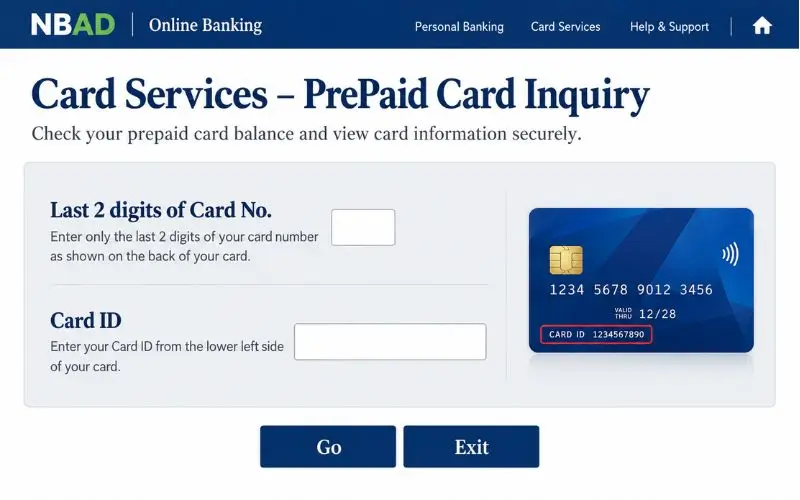
Searching for an NBAD balance inquiry can be confusing because National Bank of Abu Dhabi (NBAD) no longer operates as a separate bank. NBAD merged with First Gulf Bank (FGB) in April 2017 to form First Abu Dhabi Bank (FAB). According to FAB, the new brand commenced trading on April 2, 2017.
This means that the old customers of NBAD should now avail themselves of FAB’s banking services. It will depend on what type of bank account you have, or whether you are using a FAB card or a prepaid product like Ratibi.
What Happened to NBAD?
In 2017, National Bank of Abu Dhabi merged with First Gulf Bank. Current personal banking services are therefore under the FAB brand name, and the combined institution was renamed First Abu Dhabi Bank.
The old NBAD name will still show up in search results because it’s still relevant to old documents and customers. FAB’s present online banking page also indicates that NBAD is a trademark of the First Abu Dhabi Bank.
If you are a former NBAD customer, you don’t have to look for a different NBAD banking portal. On the other hand, name the account (or card) that you are holding and use their service called FAB.
NBAD Balance Inquiry Methods
The balance-check method is based on your banking product.
| Account or card | Main balance-check option |
| Former NBAD current account | FAB Mobile |
| Former NBAD savings account | FAB Mobile |
| FAB debit card linked to an account | FAB Mobile or Online Banking |
| FAB credit card | FAB Mobile or Online Banking |
| Ratibi salary card | Ratibi Prepaid Card Balance Enquiry |
| Eligible prepaid card | FAB prepaid-card enquiry service |
| Digital access unavailable | ATM or FAB customer support |
This is important because Ratibi is not a regular current or savings account. FAB has a prepaid card product with its own name and has stated that its employees are able to get salaries via the card without having a bank account.
Check a Former NBAD Account Through FAB Mobile
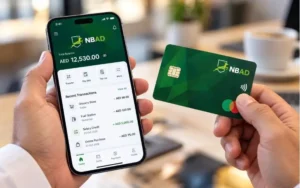
FAB Mobile is one of the easiest methods to check the current balance for the normal account opened with NBAD.
According to FAB’s official mobile-banking page, the FAB app allows consumers to check account balances, transaction details, download transaction history, search transactions, and manage their account and debit or credit card.
Steps to check your balance
- Tap the official FAB Mobile app.
- Log in to your account.
- Click on the appropriate account.
- Look at the balance that is shown.
- If you need to review a recent transaction, you can open your transaction history.
Currently, FAB’s service status page states that viewing account balances and transaction history via FAB Mobile is available as a personal banking service.
This is very useful for the mobile app when you want to look at the balance and the transactions that have impacted the balance.
Check Your Balance Through FAB Online Banking
Customers who like to do banking online can also use FAB’s online banking.
The online banking option is helpful if you want to view your account information via a browser and not a mobile application. If you are a former NBAD customer, please access the current website of FAB, and not through search engines to an outdated NBAD login page.
Online balance-check steps
- Go to the official FAB website.
- Log on to Personal Online Banking.
- Log in using your registered login.
- Click the account or card you want to use.
- Take a quick look at the history and recent transactions.
What is important to understand is that your old NBAD account has now been integrated with FAB’s current banking system. The fact that it is still appearing in search results does not make an old page an “official banking page” today.
NBAD Balance Inquiry for Ratibi Cards
A “standard” FAB bank account is not the same as Ratibi. According to FAB, Ratibi is a salary payroll system that enables qualified employees to get paid using a prepaid credit card rather than a bank account. FAB is now offering the product for up to AED 5,000 in wages.
For people who already have Ratibi cards, FAB’s official Ratibi page offers a Ratibi Prepaid Card Balance Enquiry option.
This is because a person who only owns a salary card for Ratibi shouldn’t think that the usual login procedure to the FAB account is the right way to check the balance of his salary card.
How to Check Ratibi Balance Online
For Ratibi cards, enquire about the balance on the dedicated service provided on FAB’s official Ratibi page.
The current route is:
- Go to the official Ratibi page of Oppo. Check Oppo’s official Ratibi page.
- Find Ratibi Prepaid Card Balance Enquiry.
- Access the linked enquiry service.
- Fill in the required details on the portal.
- Finish the verification process.
- Submit the enquiry to check the available balances.
Currently, FAB itself provides links to this dedicated enquiry service, which is preferable to using third-party websites that have outdated instructions for checking balances.
The actual fields to be shown on the enquiry portal should be adhered to as online banking and prepaid-card systems can change over time.
Ratibi Balance Check Without a Bank Account
Another challenge users may encounter when performing an NBAD inquiry is the fact that a user is assuming that any FAB card is linked to a traditional bank account.
Ratibi works differently. According to FAB, the Ratibi salary solution is one in which employees get paid via a prepaid card, but with no bank account.
It is not a rule that a customer must have a FAB current or savings account to check a Ratibi card online. The service to be used is the prepaid-card balance enquiry service for Ratibi users.
Other FAB Prepaid Cards
The Ratibi product is one of the many prepaid-card products offered by FAB. FAB currently offers some prepaid products such as Ratibi, Payment Prepaid Cards, Prepaid Gift Cards, and other government-related prepaid products.
The balance-check process may thus rely on the particular card. On FAB’s “Payment Prepaid Card” page, for instance, they indicate that cardholders can use a prepaid online portal and can get information on their balance online for free.
If you use a prepaid card that is NOT Ratibi, you will have to find the specific product you are using first. Avoid assuming that the Ratibi service is on all FAB prepaid cards.
Can You Check the Balance at an ATM?
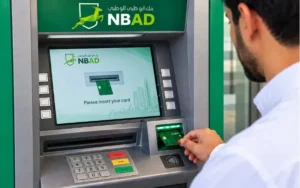
If you don’t want to use mobile or online banking, having an ATM is also an option. If the card can be used to enquire about the balance at an ATM, insert the card and enter your PIN, and follow the balance-enquiry option on the screen.
The features ofan ATM, however, may vary based on the type of card. The functionality of a Ratibi and other prepaid cards is not necessarily the same as a regular FAB debit card.
For instance, the FAB’s Payment Prepaid Card information says that its customers may use FAB ATM/CDM networks and may choose their PIN from FAB ATMs. Use only an authorized ATM, and cover up your PIN as you type it in.
Why Your Balance May Be Different
If the balance shown is not what you think it should be, verify your recent transactions, as you might not be mistaken.FAB Mobile offers transaction information, transaction history (downloadable), and transaction search.
The difference could be caused by a recent payment, transfer, or card transaction. You can find more information from a transaction history than from just the balance figure. If the difference is not explained by the transaction history, get in touch with FAB via an official support channel to investigate the account or card.
FAB Service Status for Banking Problems
In the case of a temporary service outage, users may also not be able to access their balance. FAB has an official page to track its services’ availability. The present amount details the personal banking services provided by FAB Mobile, which include viewing transaction history, login and registration, and checking account balance.
When no service is available, do not repeatedly attempt to log in until the banking channel returns. If the service appears in the list, but your account/card cannot be accessed, you likely need support.
Contact FAB for Balance Problems
In the case of not being able to access your account or prepaid card balance, FAB has special contact channels.
Currently, FAB is offering 600 522298 in the UAE and +971 2 4996279 internationally for Ratibi customers.
FAB’s general contact page also gives its contact methods, and customers are directed to the official assistance provided by banking services.
Contact support if:
- Your card cannot be recognised.
- Access to your account is not possible.
- The balance does not seem to be correct.
- A transaction is not one that is known.
- You’re not sure which balance-check service applies to your card.
Contact details are provided on FAB’s official website, not phone numbers provided in old articles.
Security Tips for Balance Checks
When customers search for older bank names and click on unfamiliar search results, they can be vulnerable to phishing pages when searching for the bank.
FAB explicitly states that its customers should not give details of their personal, card, or account number over phone, SM, S or email to any callers. The page for online banking on its website also says that FAB doesn’t ask for info like this.
Do not provide an out-of-teller’s call your:
- ATM PIN
- Online-banking password
- OTP
- Full card security information
Use FAB’s official site or app if at all possible. If a “balance-check” page is requesting data that looks unrelated to the service, stop and check the page to ensure that it is correct before proceeding.
Common NBAD Balance-Check Mistakes
Searching for a separate NBAD banking portal
In 2017, NBAD joined with FGB, and is now known as FAB. The current personal banking should therefore be accessed through the appropriate FAB service.
Using regular banking for a Ratibi card
A prepaid payroll product, Ratibi, is offered, and FAB offers a balance enquiry route for those who already have a Ratibi card.
Treating every prepaid card as Ratibi
There are many prepaid products offered by FAB. The correct balance service is dependent on the type of card.
Trusting outdated SMS instructions
Old procedures may continue to be published on third-party pages. The information in the current FAB should be more important than an old article or social-media post.
Giving sensitive information to unofficial websites
You should never give your PIN, password, or OTP to an unknown person or site, just because they ask you to do so when you make a balance check.
Which Balance Method Should You Use?
The easiest method to choose the proper service is to first decide what product you’re seeking. Use the FAB Mobile or FAB Online Banking if you’re a former NBAD current or savings account user.
The FAB digital-banking channels provide the required information for the account and card if a FAB debit/card is provided on the account. Use the Ratibi prepaid-card balance enquiry service that is linked from FAB’s official website if you have a Ratibi salary card.
If you have another FAB prepaid card, please review the product-specific information as FAB has several different prepaid-card products available. If there is no access to digital, an alternate ATM or FAB customer-support channel may be used.
Conclusion
The new and easiest way to determine if you do or don’t have a former NBAD/FAB bank account or prepaid card is to visit the company’s website or call 800-808-6565. Current/Retiree NBAD customers should consider taking advantage of FAB’s current digital banking services. Ratibi customers can access a separate prepaid-card balance enquiry process, and other prepaid products can provide online processes.
The best way to do this is to use information specifically on FAB’s website, not to follow instructions from NBAD or from others that haven’t been specifically supported. The official FAB pages address their current routes for account balances, Ratibi questions, prepaid cards, and customer support.
Read Also: RPay Balance Enquiry in UAE
Frequently Asked Questions
What happened to National Bank of Abu Dhabi?
In 2017, NBAD joined First Gulf Bank to become First Abu Dhabi Bank (FAB). The new bank started its operations under the name FAB on 2nd April, 2017. (FAB UAE)
How can I check my old NBAD account balance?
Check the balance and transactions of your former NBAD account using FAB Mobile or FAB Online Banking. (FAB UAE)
How can I check my Ratibi balance?
Now open FAB’s Ratibi page and click on Ratibi Prepaid Card Balance Enquiry. (FAB UAE)
Does Ratibi require a bank account?
No. Ratibi gives eligible staff access to their salary via a prepaid card, without having to use a bank account. (FAB UAE)
Can I check my FAB balance through the mobile app?
Yes. On FAB Mobile, customers can check account balances, transactions, and transaction history. (FAB UAE)
Can I check a prepaid-card balance online?
Yes, if the prepaid card has a function that allows checking its balance online. This is a facility offered by FAB for eligible prepaid products. (FAB UAE)
What should I do if my balance looks incorrect?
Check your recent transactions first. If the problem persists, please reach out to FAB via its official support system for help.
