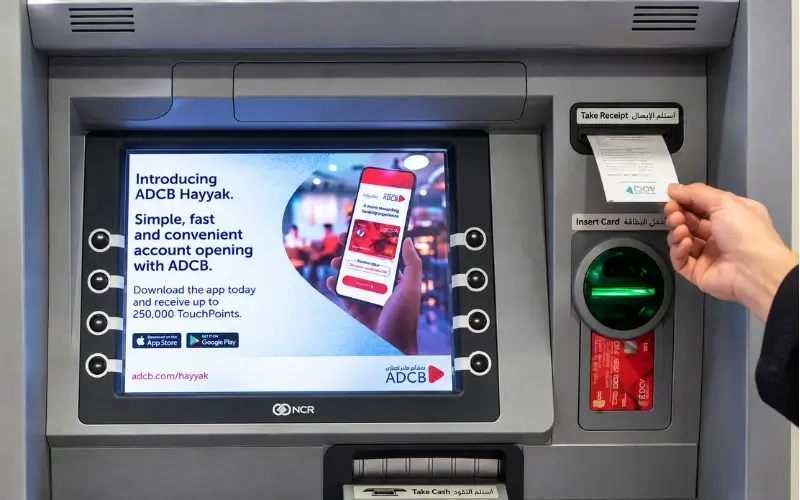
ATM balance check in the UAE is a feature available with ATMs that can be utilized to verify the amount of money available in your bank account or salary card before you access cash, pay bills, or make purchases. Your balance can be viewed via your bank’s ATM, mobile banking app, online banking, or telephone banking/SMS-supported banking service, depending on the bank and card type.
Various options are available for checking balances in UAE banks, including Emirates NBD, FAB, and ADCB banks. For salary card holders, there are dedicated services like FAB Ratibi or Al Ansari PayPlus. Understanding which method suits you will enable you to verify your account balance, check the likely charges, and handle your funds safely.
What Is ATM Balance Check in the UAE?
ATM balance check, also known as ATM bank balance check, is a banking service for checking the money in a bank account or linked bank card on an Automated Teller Machine (ATM). UAE customers can also verify their bank balance prior to cashing out or making payments using an ATM that is supported. It will depend on the bank and the card provider.
To access your balance, simply insert your debit card, enter your PIN, and choose Balance Enquiry on the ATM menu. There are machines that may have an LED display that shows the balance or a printed receipt. If you are using a salary card, like FAB Ratibi, you might have to use the card issuer’s dedicated salary balance enquiry service.
How to Check Your Balance at an ATM
If you can’t access the internet or don’t want to use a banking app, using a cash machine is a great, handy alternative. The menu and services offered vary by the bank that runs the machine and the type of bank card used.
Follow these steps:
- Use your bank’s secure ATM, preferably within a bank branch or a good public location.
- Present your debit card, prepaid card, or press the contactless button on your card and machine if supported.
- Choose English or Arabic from the list of languages available.
- Cover the card keypad and enter your card PIN.
- Select Balance Enquiry, Balance Inquiry, or something similar.
- If the card belongs to several accounts, you can choose a specific one.
- Read the displayed balance; only take a receipt if necessary.
- Pick up your card and receipt and be sure to check that the session is over.
The results of some machines are shown on the screen, and for others a receipt can be printed out. So don’t assume that all ATMs accept all cards and types of accounts.
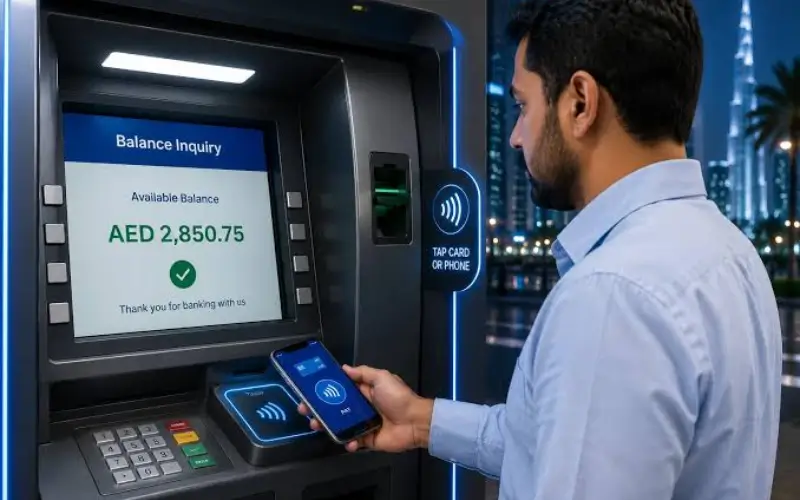
Use Your Own Bank’s ATM First
The easiest place to start is to use your bank’s ATM, as they are meant to work with your account and cards.
For instance, Emirates NBD states that they do have their customers check their account balance using their ATMs. Other card services offered by the bank include changing PIN, paying bills, etc.
If you’re using an automated teller machine from another bank, be sure to review the fee information on the screen and the terms and conditions on your card before using it. An enquiry to see the balance is not the same as a cash withdrawal, and the fee that will be charged for the former should not be taken as a substitute for the latter.
Other Ways to Check Your Bank Balance
There are other choices besides an ATM. If you need to keep track of your money frequently, or view recent transactions, digital and telephone services may be more convenient.
Mobile Banking Application
Checking your balance without going to the cash machine is often a practical solution, and your bank’s official mobile application is often the best option.
Once signed in, go to the accounts section and choose your current account, savings account and/or card. The app can show you your available balance, recent transactions, and pending payments on your card, as well as statements from your bank.
Make use of the application your bank has released on its official website or a trusted application store. Do not deposit funds with applications that you do not recognize or where you are asked to enter your card PIN, password, or one-time password beyond the bank’s normal authentication procedures.
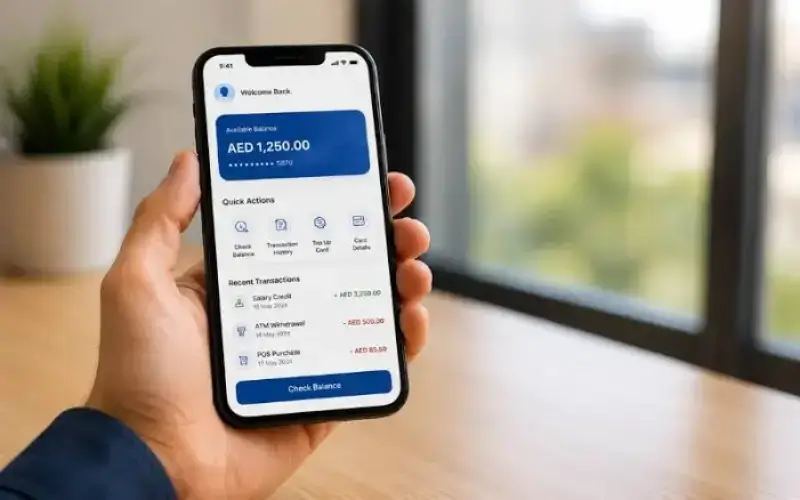
Online Banking
Online banking provides the same account data via the bank’s website. Use your registered log-in information to log in and open the relevant account or card, if necessary, with security verification.
This can be helpful if you require a balance more detailed than what’s provided in a single balance figure, for example, if you need a history of transactions or an electronic statement.
Never enter your credentials into a website with an incorrect URL. Avoid clicking on links in unexpected messages or advertisements unless you have independently verified the source.
Telephone Banking
Some banks offer automated telephone systems for checking account, card and loan balances, following authentication.
Emirates NBD, for instance, offers balance enquiries as part of its phone banking services, to mention just one. Customers who successfully go through the necessary verification process can use self-service telephone banking services at ADCB.
Contact a number listed on your bank’s official website or on your card. Depending on the bank, you might require a registered cellphone number and a telephone banking PIN.

SMS Banking
Some banks provide a balance enquiry facility using registered SMS banking services. But the instructions and registration requirements differ from bank to bank.
For instance, ADCB records an SMS enquiry service, where registered customers can ask for their account details and the last three transactions. It has published instructions to send BAL with the last 6 digits of the account number to 2626. They must be registered, and a cell phone number with the bank is needed.
This is for ADCB and not all UAE banks. Never provide banking information to an unknown number or presume that the same SMS code will be used by another institution.
Balance Enquiry for Major UAE Banks
The options you have for checking your balance will vary by bank, account and card. Official service information for selected institutions is summarised in the following table.
| Bank or provider | Available balance enquiry options | Important detail |
| Emirates NBD | ATMs, mobile banking, online banking and phone banking | Its official support pages confirm ATM and telephone balance enquiries. |
| First Abu Dhabi Bank (FAB) | Digital banking and supported ATM services | FAB provides a dedicated Ratibi prepaid card balance enquiry service. |
| Abu Dhabi Commercial Bank (ADCB) | SMS banking and telephone banking, alongside its other banking channels | SMS enquiries require registration and the bank’s specified instructions. |
| Al Ansari Exchange | Its application, branches and call centre for supported PayPlus balance enquiries | The provider lists free balance enquiries through these channels; ATM withdrawal charges may differ. |
The information contained in this table is not intended to indicate that all services are available to all customers. Banks can modify their practices, and some accounts might have varying access needs. Take note of your bank’s current directions before using a specific one.
Emirates NBD Balance Enquiry
Emirates NBD customers can log in to their accounts by using their supported bank ATMs. It also has a telephone banking service that offers enquiries about balances on loan accounts, cards, and accounts.
Make sure you know which account you are making a payment or withdrawal from, if you have multiple debit cards connected to the same account. The bank offers tips for checking connected accounts on its digital banking platforms.
FAB Balance Enquiry
Customers of the bank can use their official mobile or online banking to make withdrawals from eligible accounts. Downloading the salary card to their mobile phone as a conventional current account is not something that customers with a Ratibi salary card should do; rather, they should rely on the dedicated Ratibi enquiry service.
Additionally, FAB provides customer support information for Ratibi customers. If there’s no balance or a salary credit was not seen, reach out to the bank via its official channels.
ADCB Balance Enquiry
Eligible customers can enjoy SMS and telephone banking services at ADCB. It can be helpful for customers who are unable to access the internet, if they have registered and followed the current instructions of the bank.
If you get an error message, please check to ensure that you have registered and registered your mobile number before sending multiple requests. If the problems persist, please contact ADCB directly.
Salary Card Balance Check in the UAE
A salary card can not necessarily be identical to a regular bank debit card. Prepaid payroll cards are a way for some employers to pay wages that let workers get and spend their paychecks without a traditional bank account.
Electronic wage payments are supported by the Wages Protection System (WPS) in the UAE. However, it is the appropriate balance enquiry method that matters, not just the fact that your employer uses WPS.
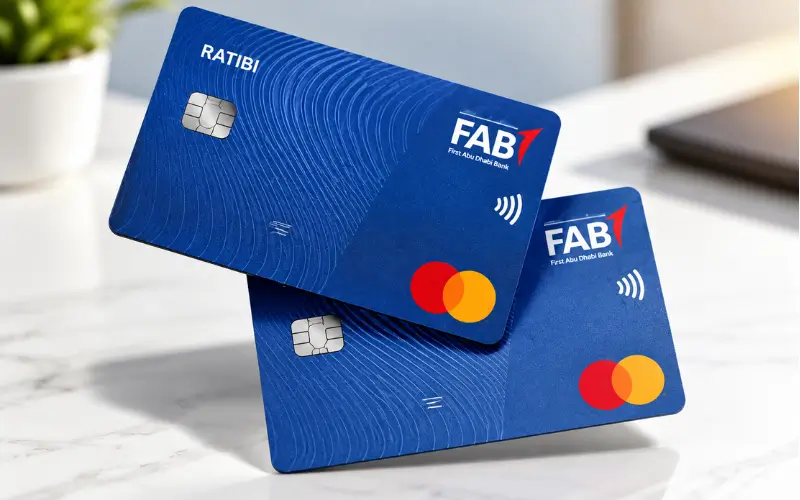
FAB Ratibi Card
The FAB’s Ratibi Prepaid Card is intended for workers who make a salary of up to AED 5,000, allowing participating employers to pay their employees’ salaries without a normal bank account. Product features listed by FAB include access to ATM networks, no minimum balance requirement, and a monthly fee-free for cardholders.
To see how much Ratibi you have:
- Go to the official FAB website and click the Ratibi prepaid card page. Go to the FAB official website and click on the Ratibi prepaid card page.
- Choose the balance enquiry function.
- Please follow FAB’s instructions.
- In case the enquiry fails, get in touch with the official contact for Ratibi support.
FAB’s UAE Ratibi phone number is 600 522 298. Check the official site for the latest contact details prior to calling, especially when calling outside the country from a bank.
Al Ansari PayPlus Card
Payroll solutions at Al Ansari Exchange consist of PayPlus and PayRoll cards. According to its official payroll information, PayPlus customers can check their balance free of cost via the Al Ansari Exchange application, branches, and call centre. It also mentions that when people view the Visa logo at an ATM and withdraw money, they could be charged.
Use the official service of the provider if you have a PayPlus card to see how much money is in your account before you take money out. Note: A free balance enquiry is not a free cash withdrawal; they are different services.
Other Prepaid and Payroll Cards
Other employers may be using other payroll or prepaid card products. The name of the card company and the customer support information are a good place to begin.
Review the rules that were given at the time of issuing the card, the official website of the card issuer, or the approved app. If your employer confirms your salary has been processed, but you don’t see the funds, call your card issuer and your payroll department to find out if it has been credited, is pending, or needs to be investigated.
Never key in a salary card number on a site that doesn’t have anything to do with checking your balance.
Understanding Available Balance and Current Balance
When performing an ATM balance check, the balance that appears may not be the correct amount that’s in your account. This does not indicate that an error has been made by the bank.
There are two terms that are significant.
Current balance normally indicates the current balance in the account at a given moment during the bank’s operating cycle.
Available balance is the amount of funds available for use in a bank account after any bank holds, pending transactions, and other applicable adjustments.
Specific terms and disclosures may differ from bank to bank and product to product.
Suppose there is an account that has a current balance of AED 1,200. The available balance might be AED 1,050 if AED 150 were to be placed on a pending card transaction. This is an example only and not a rule for calculating for all banks.
Other causes of a difference could be recently deposited funds that are not available, pending payments, transaction reversals, or limitations on an account.
If they do not correspond, check the official application or statement for recent transactions. If a transaction isn’t recognized or the amount doesn’t add up, contact your bank.
ATM Balance Enquiry fees
Checking balance fees vary by bank, card product, and ATM operator and service terms. Inspect any notice of a fee displayed on the machine before using it at another bank.
There is a fee schedule for retail banking services in the CBUAE’s Consumer Protection Standards. The published schedule indicates that with the issuing bank’s own ATM, there will be no fee charged for using it, while the maximum fee for using another bank’s ATM is AED 2, under the specific debit card fee category. The above numbers do not represent a blanket charge for all cards, all providers, or all transactions. Always look at the existing rules and your bank’s relevant tariff for the service you’re using.
Here are a couple of differences that’ll help you avoid any unexpected charges:
- Balance inquiry: An inquiry for your money.
- A transaction that involves withdrawing cash, which may have various fees.
- Mini statement: A recent statement that is being printed or displayed.
- Foreign ATM transaction: ATM transaction performed outside the bank’s home network, may be subject to further terms.
While a free enquiry is free, not every transaction related to the enquiry is necessarily free. It is also important for salary card holders to see if their provider has free enquiries via their application or branches but has to pay for some ATM withdrawals.
Security Tips for Checking Your Balance
It’s crucial to keep your account safe not just to know the balance, but to protect it as well. An ATM, phone call, or mobile application can only be used via a legitimate channel used by your bank or card issuer.
Protect Your PIN and Banking Credentials
Do not disclose your card PIN, online banking password, or one-time password to anyone. Cover the keypad of the ATM when typing in your PIN and don’t let someone you don’t know help you with a transaction.
Never write your PIN on your card or type it into a website that says it will allow you to view your balance anywhere.
Inspect the ATM Before Use
Select a machine in a safe, brightly lit area. Check for any unusual attachments around the card slot or keypad and do not use a machine that looks to have been tampered with.
Under the Consumer Protection Standards issued by the CBUAE, licensed financial institutions are obligated to have ATM security measures such as keypad shielding and anti-skimming measures. It is important for customers to report any suspicious equipment, not assuming it is safe.
Use Official Websites and Applications
Use the bank’s official website or mobile app to access your bank. Watch out for emails that appear to be from any institution that inform you that your account is blocked and ask you to click on an unfamiliar link.
If you get an alert for a transaction you don’t recognize, follow the official procedure your bank provides to confirm it. Never reply with PIN/OPT.
Keep Your Registered Mobile Number Updated
Your registered number can be used for transaction notifications, to ensure the identity of the user, and to recover accounts if lost. If you change your mobile number, update it in accordance with your bank’s procedure.
A working registered number can also be useful for service notifications and account verification for salary cardholders.
Common Problems and How to Resolve Them
If you made an enquiry and it was unsuccessful, it does not necessarily mean that your money was lost. The problem could be related to the ATM, card, network, registration, or account status.
| Problem | Possible explanation | Recommended action |
| ATM does not recognise the card | Card damage, unsupported card, or machine issue | Try a supported machine or contact the issuer |
| Incorrect PIN message | PIN entered incorrectly or card security restriction | Follow the issuer’s PIN recovery procedure |
| Balance is not displayed | Temporary service issue or unsupported enquiry | Use official digital banking or contact the provider |
| Salary is missing | Payroll processing delay or crediting issue | Check with the card issuer and employer’s payroll team |
| Balance differs from expectations | Pending payments, holds or recent transactions | Review transaction history and contact the bank if unexplained |
| Card is retained by an ATM | Security restriction, repeated incorrect PIN entries or machine fault | Contact the issuing bank immediately |
| An unfamiliar deduction appears | Unrecognised transaction or possible unauthorised use | Report it promptly through the bank’s official fraud or support channel |
What to Do If an ATM Keeps Your Card
NEVER leave the machine without reporting the incident. Call the card issuer right away on an official phone number and follow the instructions for blocking or replacing the card.
If the machine is owned by another bank, inform the issuing bank of the bank that owns the machine. Remember that the ATM operator will not automatically give the card back to you.
What to Do If the Balance Looks Wrong
Check the latest transactions in the bank’s official App, online banking, or statement. Record any unfamiliar payments, any cash out, or any other deductions that may not be familiar.
If you think you are being defrauded, tell someone right away! Licensed financial institutions are required to have mechanisms and procedures for consumers to report loss, theft, fraud, or misuse of their card pursuant to the CBUAE’s Consumer Protection Standards.
Keep the transaction date, approximate time, ATM location, and any receipt or reference number. The information can assist the bank to look into the matter.
Conclusion
Checking your ATM balance is the easiest way to see how much you have available, though the most effective way to check your balance depends on which card or account you have. Generally, Bank customers can begin with their own ATM, mobile application, or online banking, and salary cardholders ought to adhere to the directions that their card issuer supplies.
Use official bank websites for accurate information, check applicable fees before using another bank’s machine, and safeguard banking information. In case of an incorrect balance or a missing salary payment, reach out to the respective bank or payroll service, not an unofficial checking service.
Read Also: FAB Balance Check: Online, Mobile App, ATM, Ratibi and Prepaid Card
Abu Dhabi Bus Card Balance Check: Hafilat Balance & Recharge
NBAD Balance Inquiry: How to Check Your FAB, Ratibi, and Prepaid Card Balance
Frequently Asked Questions
How can I check my ATM balance in the UAE?
You can check your balance at your bank’s ATM, mobile app, online banking, or telephone banking. The options available will vary based on your bank and card.
Can I check my balance without visiting an ATM?
Yes, you can check your balance using the bank’s official mobile app or online banking. Some banks have SMS or telephone balance enquiry services as well.
Is checking my balance at an ATM free?
The charges are subject to your bank, card, and ATM operator. Be aware of any fees before using another bank’s ATM.
How can I check my FAB Ratibi salary card balance?
Check the official FAB Ratibi website and utilize their special balance inquiry service. If you are unable to access your balance, please contact FAB support.
Can I check my salary card balance without a bank account?
Yes, if your salary card offers this service. FAB Ratibi is a scheme that enables people who qualify for wages to earn wages without being able to open a regular bank account.
How do I check my ADCB balance through SMS?
Registered customers can check their SMS balances via SMS at ADCB. Use the service following the instructions provided on the official website of ADCB.
Why is my available balance lower than my current balance?
This difference may be due to pending transactions, payment holds, or unprocessed deposits. Check your transaction history or call your bank to get clarification.
Can I use another bank’s ATM to check my balance?
Yes, if they are available on the ATM and the balance enquiry is available on the card. Other fees or service limitations may apply.
What should I do if an ATM does not show my balance?
Try your bank’s official mobile app or telephone banking. If the issue persists, call your bank or card issuer.
Is it safe to check my balance online?
Yes, if you log on to your bank’s official website or application. Don’t give out your PIN, password, or OTP to anybody.
